Case study 01 / 05
Client capstone with the Region of Waterloo
Region of Waterloo
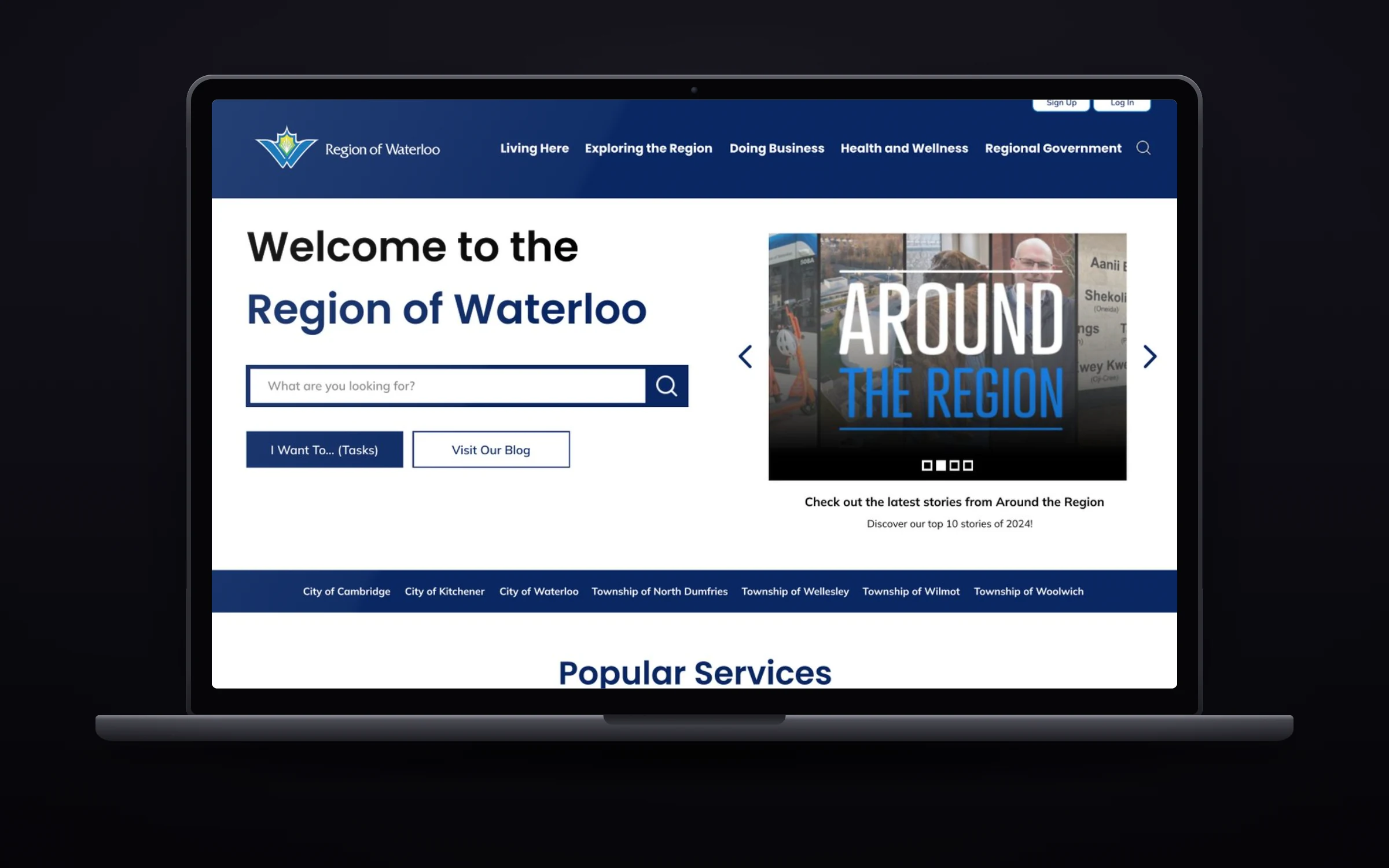
The Region asked our capstone team to fix the chatbot on RegionofWaterloo.ca. Our research showed people were using the chatbot because they couldn’t find anything on the rest of the site, so we redesigned how residents find information and tested it against the live version.
- My role
- UX Researcher
- Team
- Digital Solutions Group, 8 people
- Timeline
- Sept 2024 – Mar 2025
- Context
- UX400 capstone, real client
- Methods
- Interviews, card sorting, A/B testing
At a glance
The problem
Around half the people asking the chatbot about transit and waste didn’t get an answer. They were in the wrong channel because the website didn’t help them find the right one.
My part
I interviewed residents and coded what they said, turned the themes into personas and journey maps, ran both card sorts that shaped the new navigation, and ran the A/B test.
What happened
On our navigation, participants finished tasks 27% faster with 33% fewer errors. We presented the recommendations to Region of Waterloo staff.
27%
Faster time on task (19.0s → 13.8s)
33%
Fewer errors per task
4.52/5
Layout appeal, up from 2.96
Problem: The chatbot wasn’t the real problem.
The brief was to re-engineer the RegionofWaterloo.ca chatbot. It answered questions about four services (Grand River Transit, waste pickup, Waterloo Airport and provincial offences) and was getting negative feedback, with too few successful answers.
The Region’s own chatbot data told a bigger story. Most of the site’s information sits outside those four services, and people were asking the chatbot because they couldn’t find what they needed anywhere else. So we changed the question.
How might we
…structure and support information seeking across service channels for a diverse and growing population, while promoting self-service so live agents can focus where they’re needed?
Constraints we designed around
- Growth
- The Region expects to grow from 650,000 to 1,000,000 residents by 2050, so changes had to be easy to maintain without a designer.
- Channels
- Point residents to the right channel (website, chatbot or live agent) so no single one gets overloaded.
- Accessibility
- Aim for WCAG AA and AODA, informed by the Grand River Accessibility Advisory Committee.
Approach: Ten interviews, two card sorts and three months of chatbot logs.
We started with the Region’s chatbot data, then went to residents directly. My part was the interviews, the coding and turning the themes into personas and journey maps. Teammates designed the prototype screens.
- Chatbot data
- 3 months of logs from the Region, used to check what we heard in interviews.
- Screener survey
- 50+ responses on age, devices, accessibility needs and past use of the site.
- Interviews
- 10 residents, 14 open-ended questions, thinking aloud while using the live site.
- Coding and synthesis
- Every response tagged against a shared codebook, then grouped into personas and journey maps.
How Waterloo compared
We rated the sites of regions that have already passed a million residents from 1 to 5. Waterloo scored lowest on aesthetics. Vancouver and Toronto had the strongest usability and information architecture.
| Region | Usability | Relevant info | Aesthetics | Accuracy |
|---|---|---|---|---|
| Vancouver | 4 | 5 | 3 | 5 |
| Toronto | 4 | 4 | 4 | 5 |
| Peel | 3 | 4 | 3 | 4 |
| Waterloo | 4 | 5 | 2 | 4 |
Insights: Four reasons residents got lost.
The same four problems came up in interviews and in the chatbot data. The first was plain information overload: dense pages and long lists, all in the same size and weight, so nothing stood out as important. The other three had numbers behind them.
- 50%
found the navigation difficult
Drop-downs and headers got in the way, and every item in a menu looked equally important.
- 60%
got poor search results
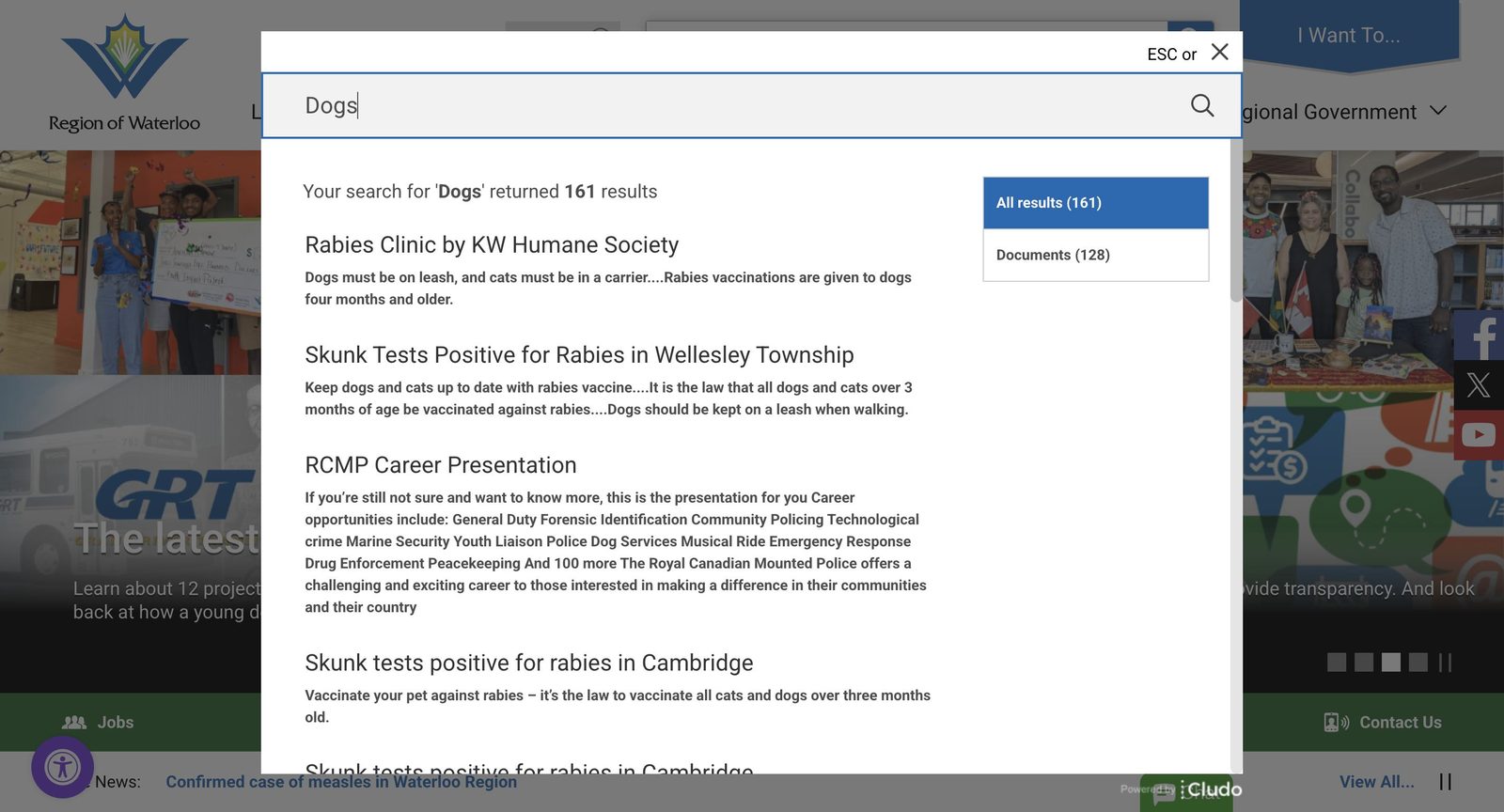
A search for “Parks” returned more than 1,800 results, most of them outdated news posts.
- 60%
landed somewhere they didn’t expect
Menu links and search results often led to pages that didn’t match what people thought they were clicking.
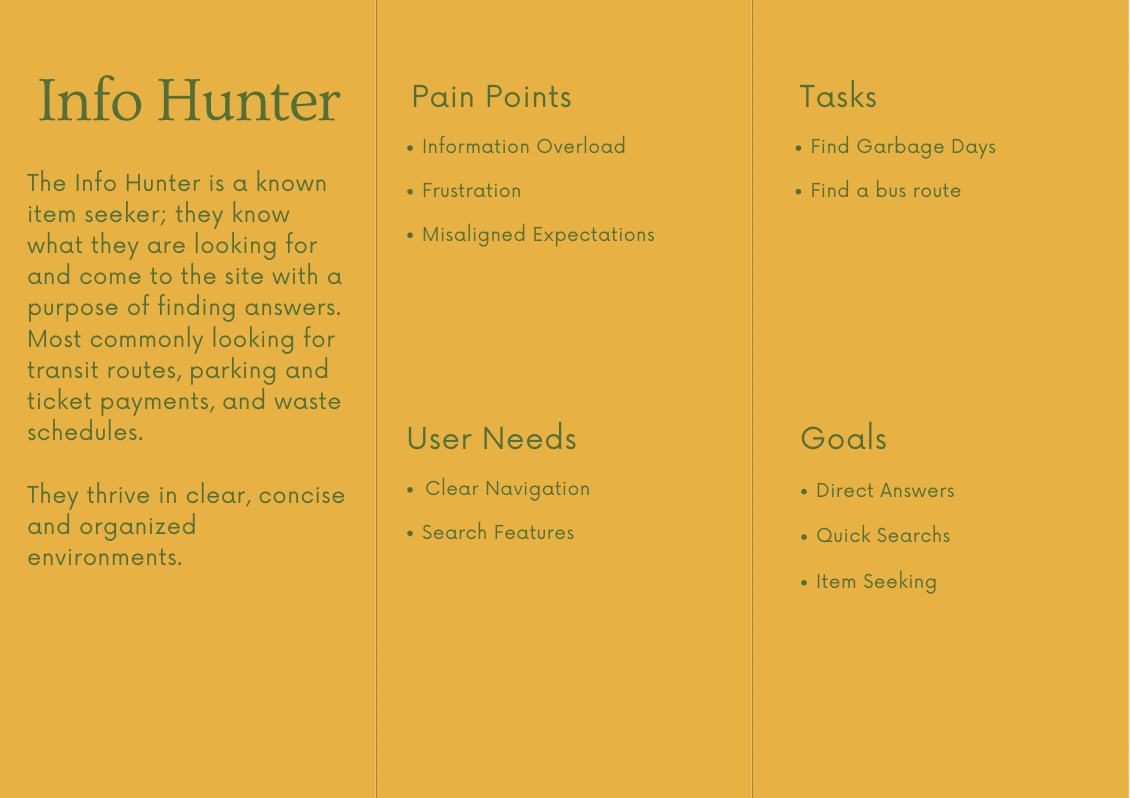
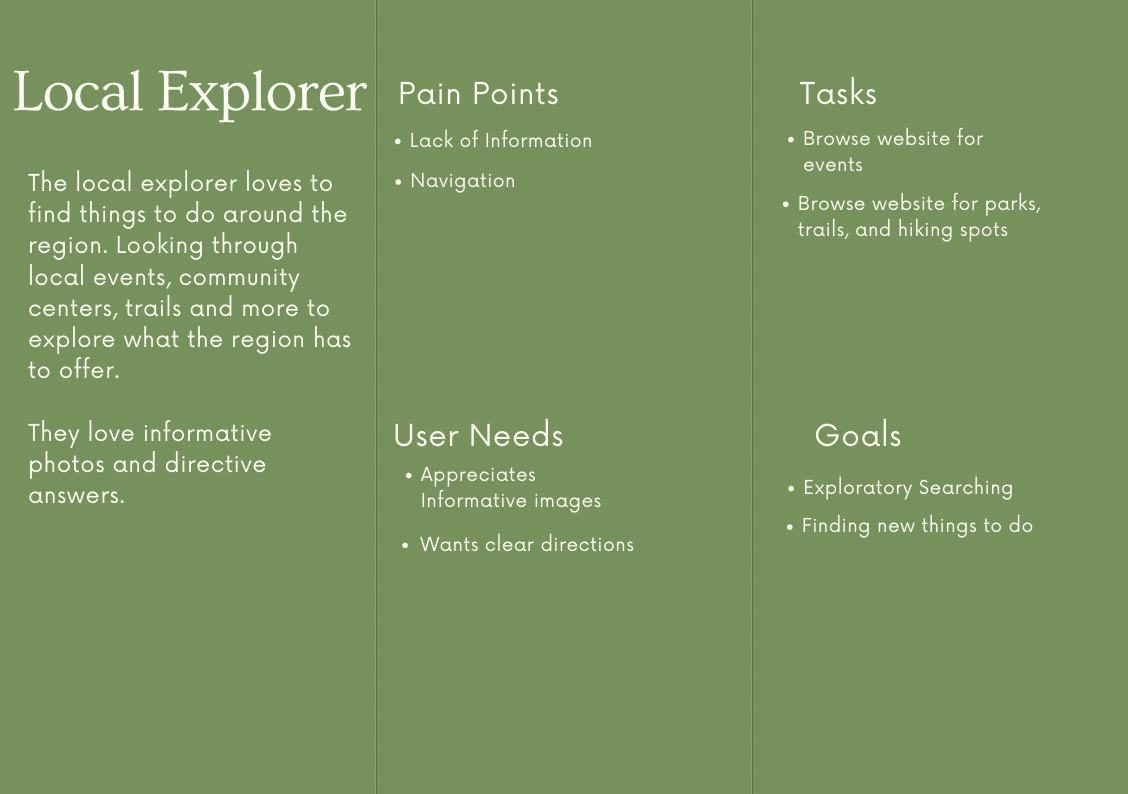
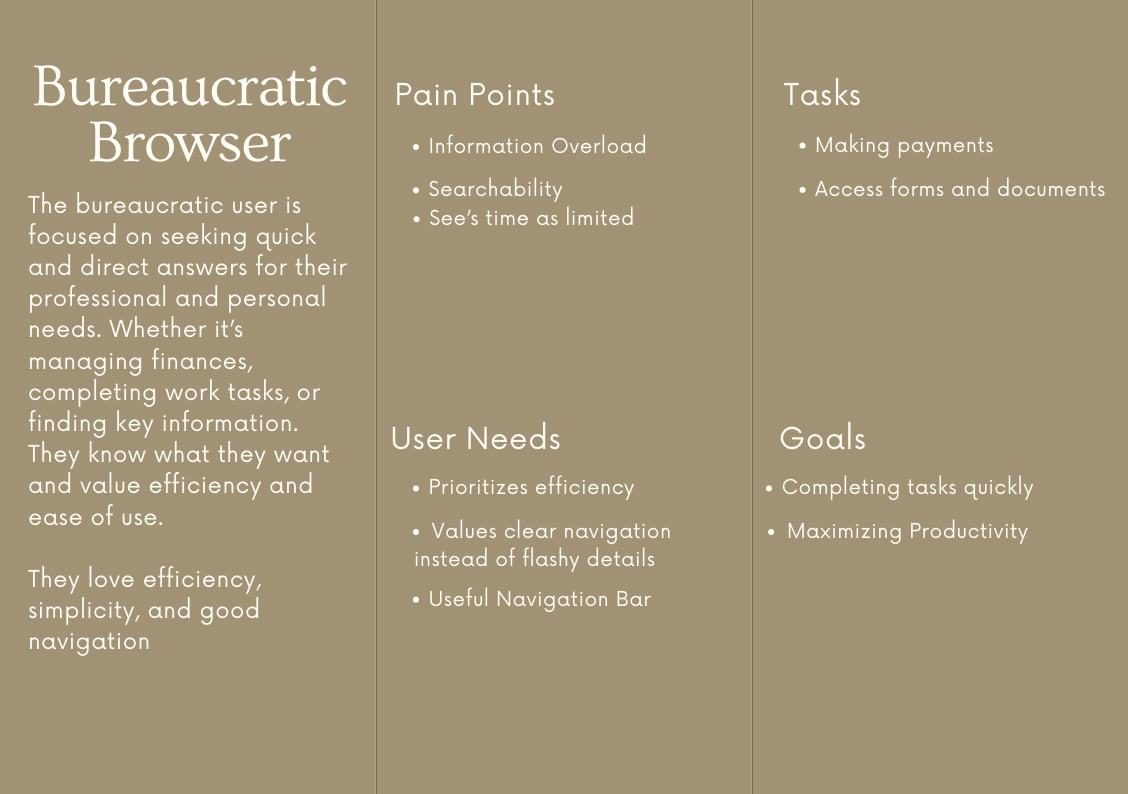
Four personas
We started with six personas and cut them to four, each labelled with pain points, goals, tasks and needs so the team could design against them.
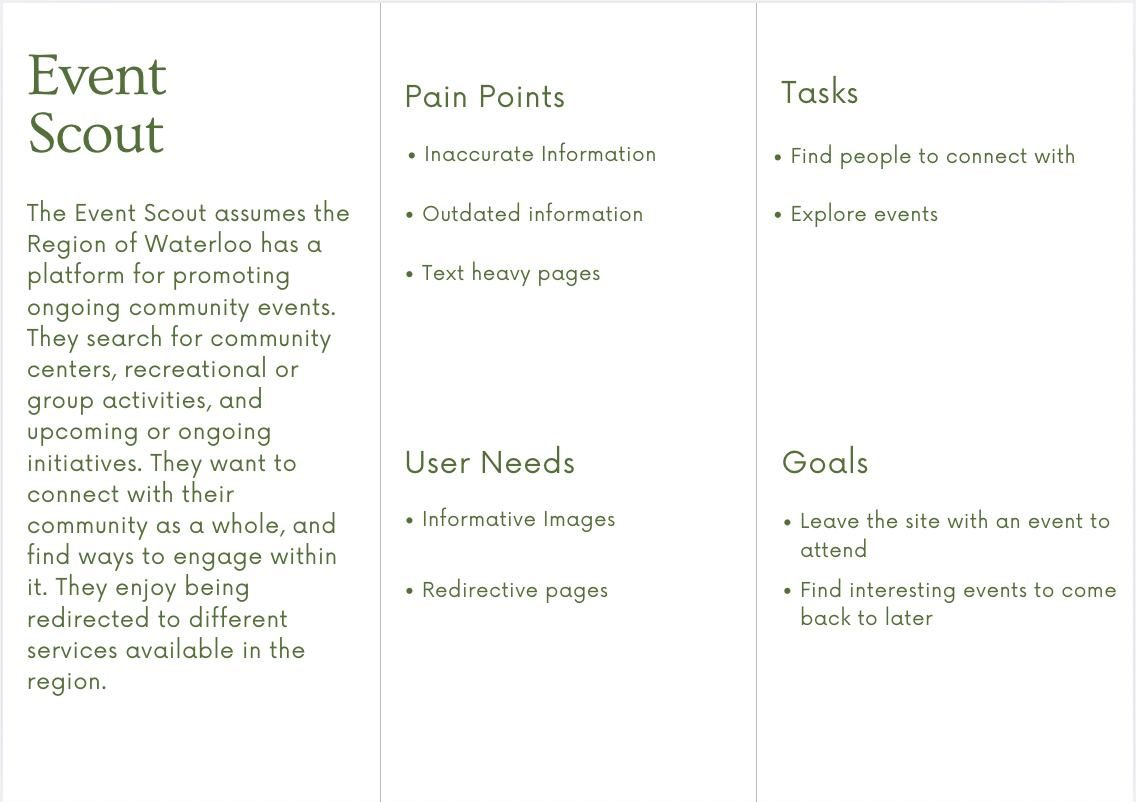
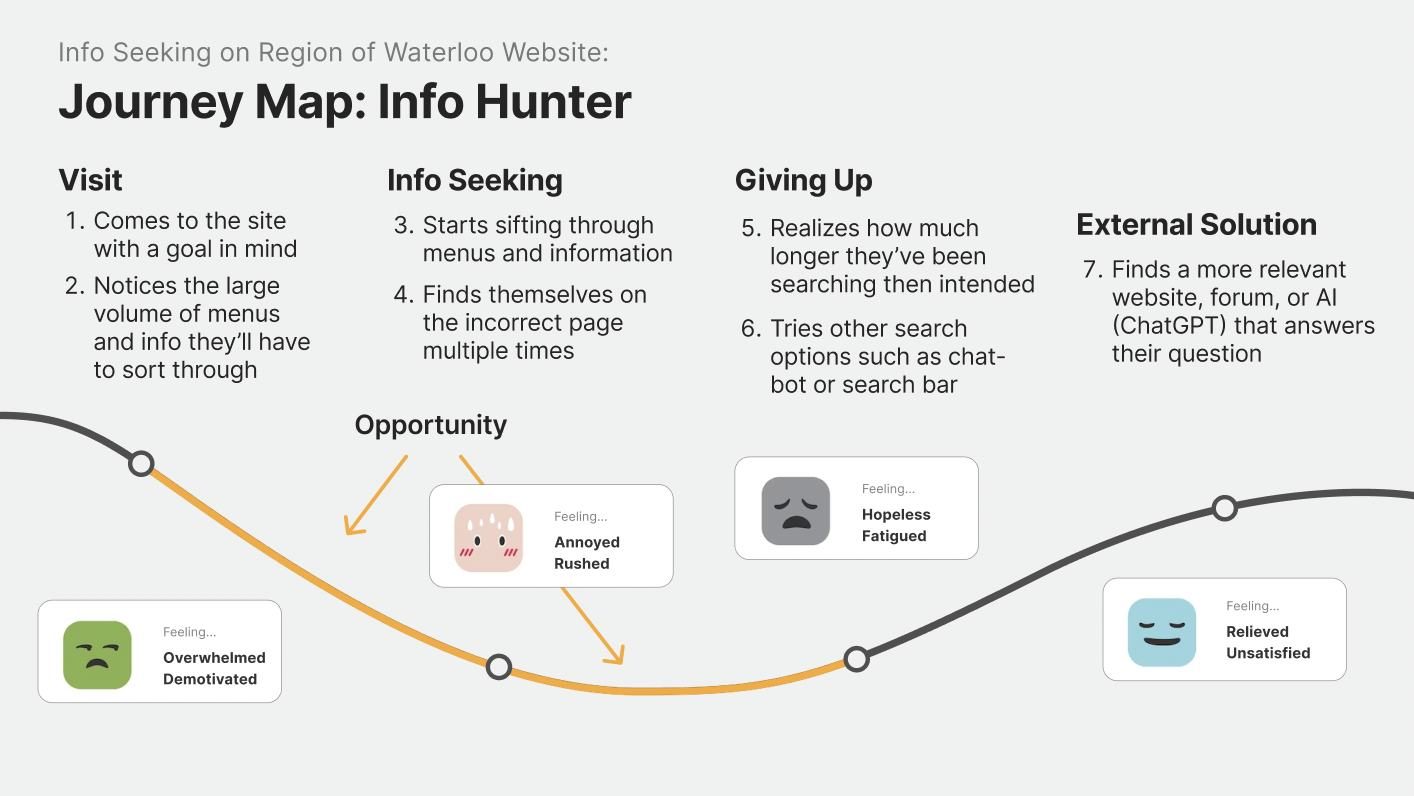
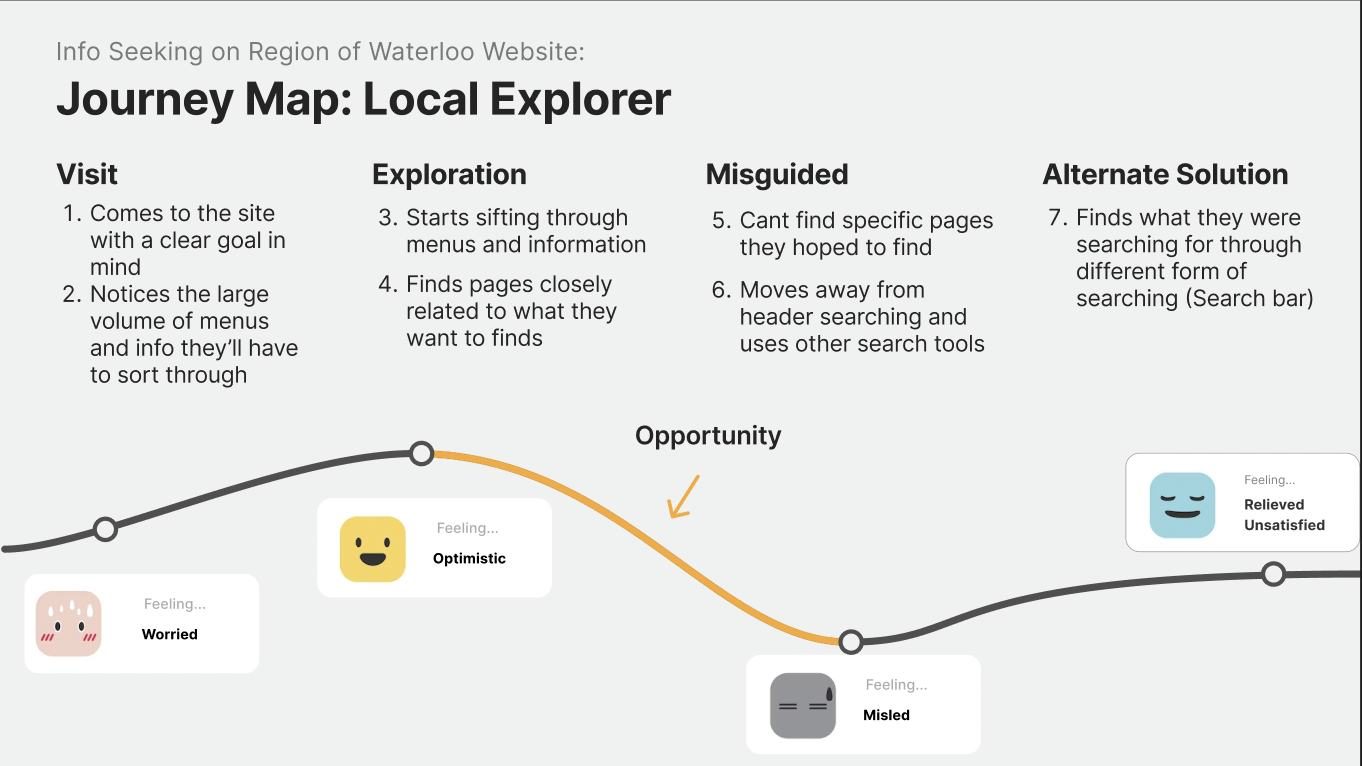
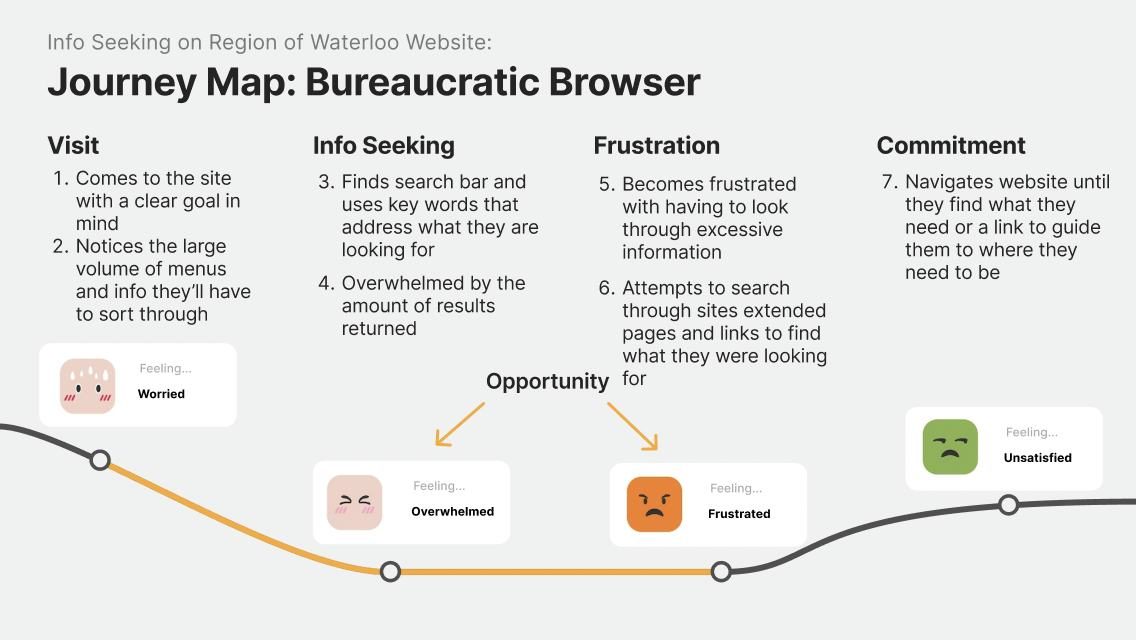
Journey maps
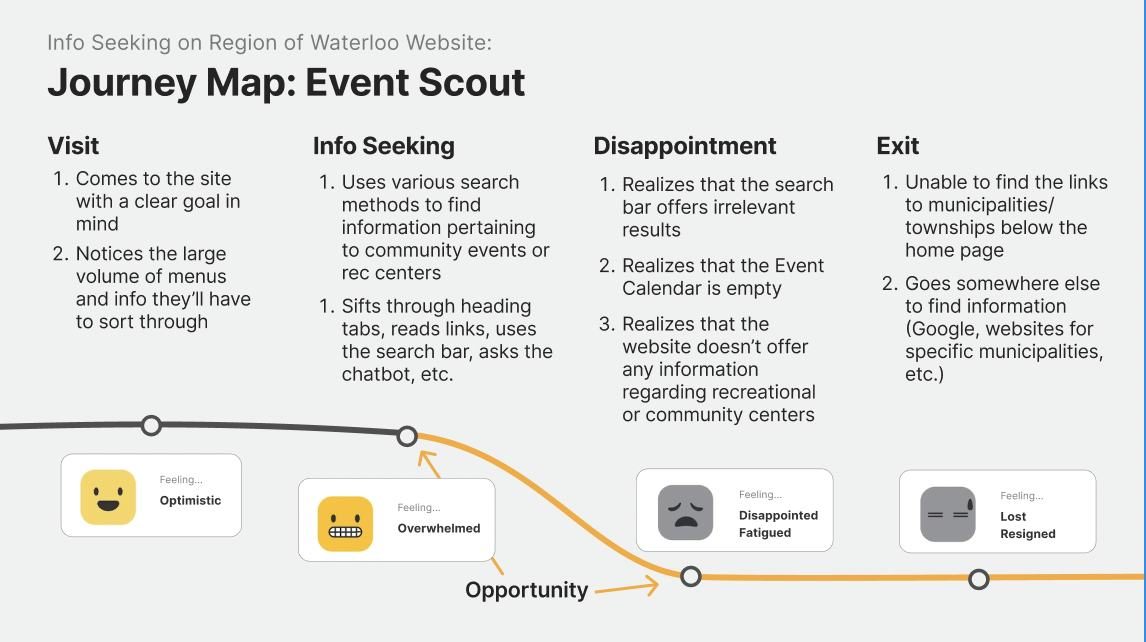
All four journeys start the same way: facing the size of the site and its many headers. That’s where most people got lost, and none of them finished with a good impression of the site.
Design: Residents named the new menus.
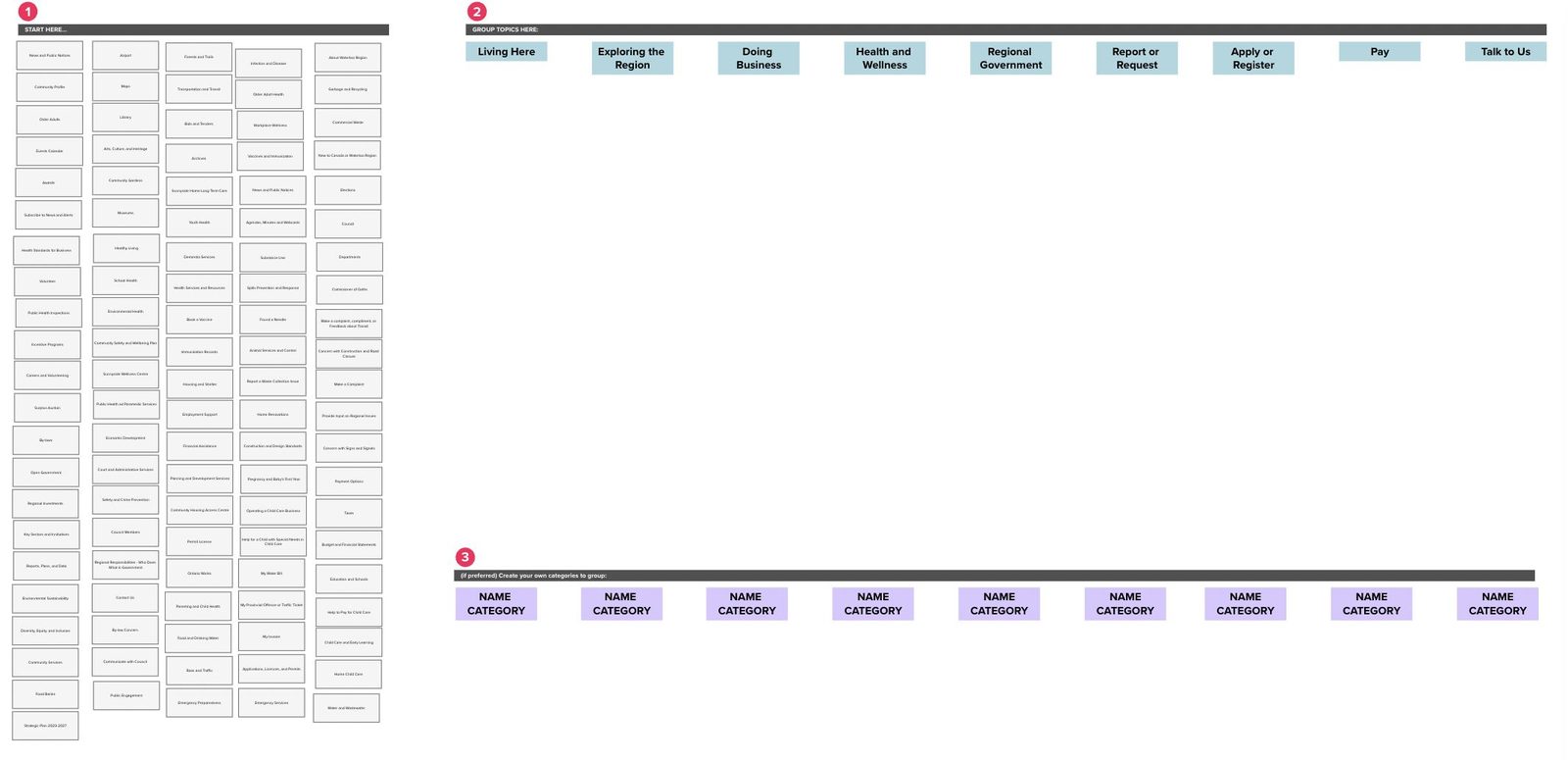
I ran two card sorts so residents could regroup and rename the site’s content themselves. Their categories became the new global navigation, which is the change we A/B tested.
- 9/23
made their own categories
In the hybrid sort, people could use the site’s categories or create new ones. Nine of 23 created groups like “Youth/Children”, “Public Health and Safety” and “Community”.
- 16/19
added subcategories
In the reverse sort, people labelled those groupings and added subcategories, which gave us eight categories with two to six subcategories each.
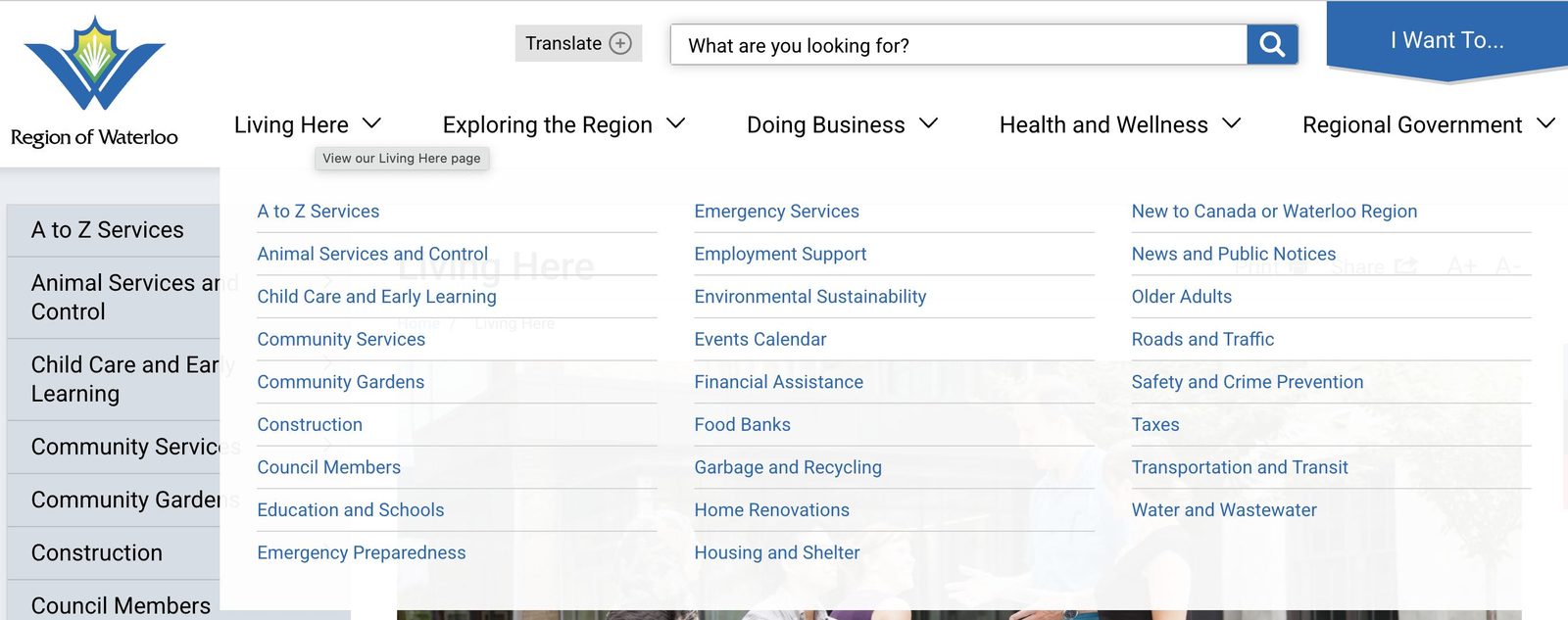
- Before: 5 categories
- Living Here, Exploring the Region, Doing Business, Health and Wellness, Regional Government
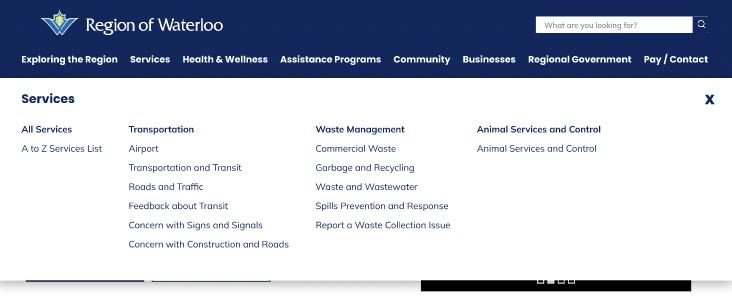
- After: 8 categories, named by residents
- Exploring the Region, Services, Health and Wellness, Assistance Programs, Community, Business, Regional Government, Pay / Contact
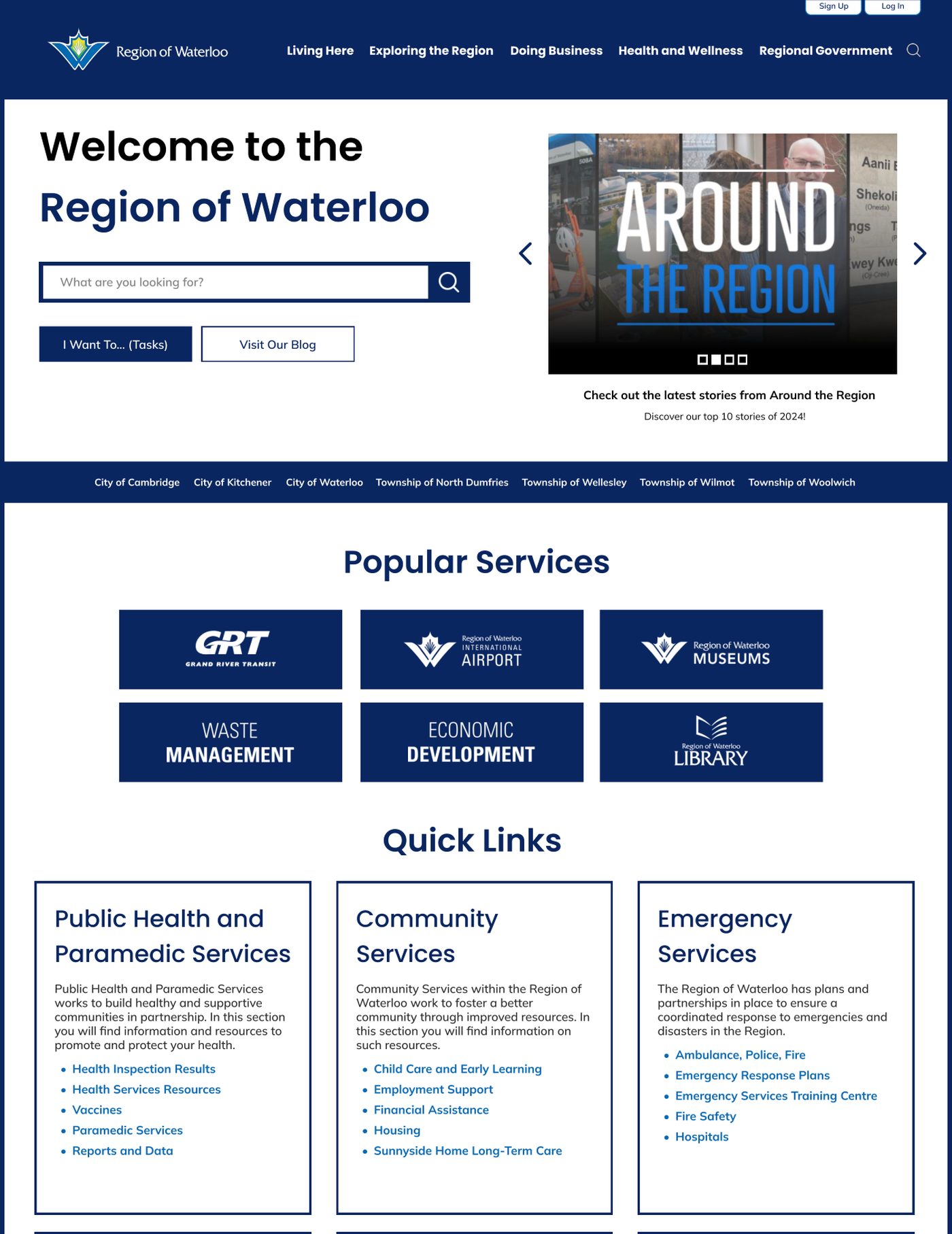
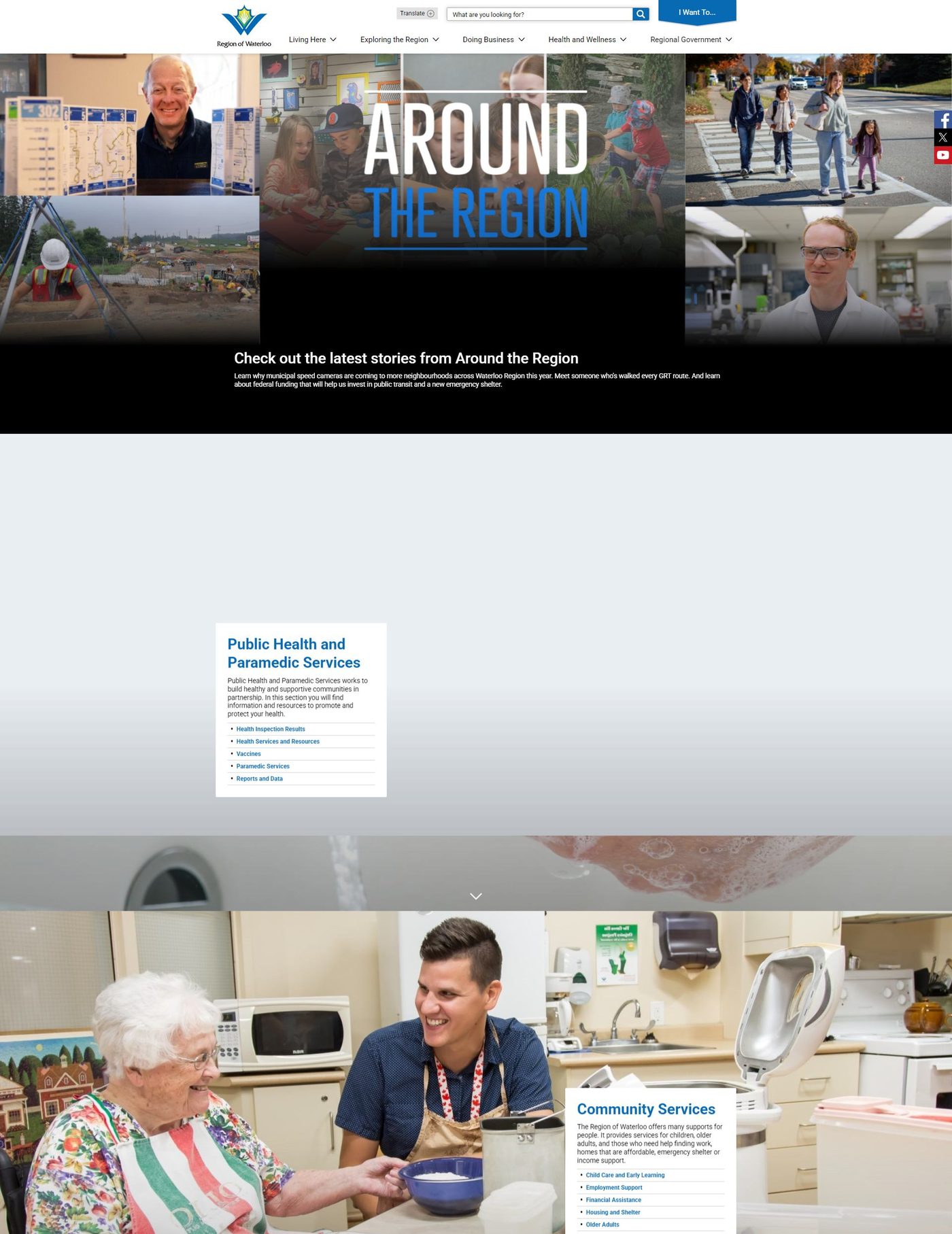
The landing page puts services first
- Popular services moved above the fold, where people spend 80% of their time on a page (Nielsen Norman Group).
- City and township links moved from the footer into the hero.
- The slider shrank by half, with text moved off the photos to meet contrast requirements.
- Generic photos came out, so two quick-link blocks could become six.
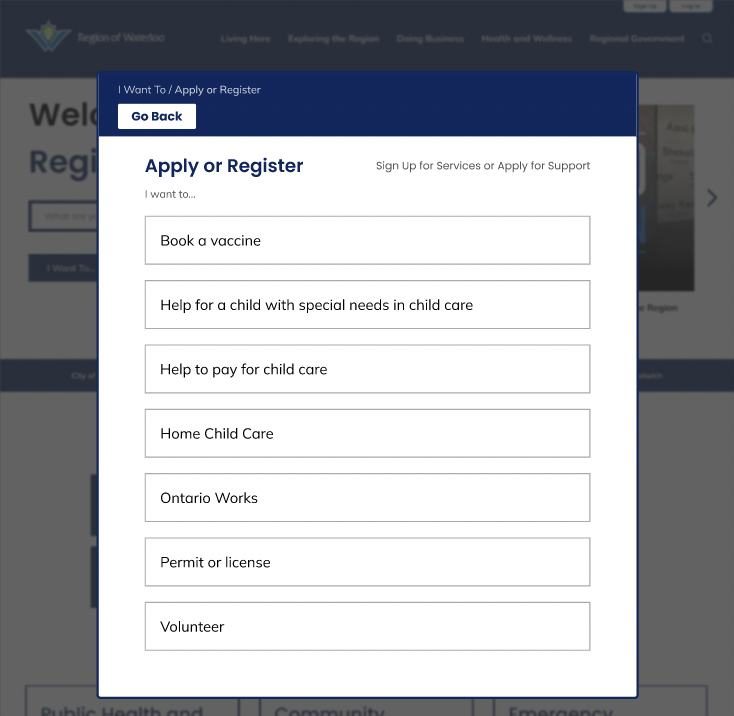
- The “I Want To” task menu moved into the hero.
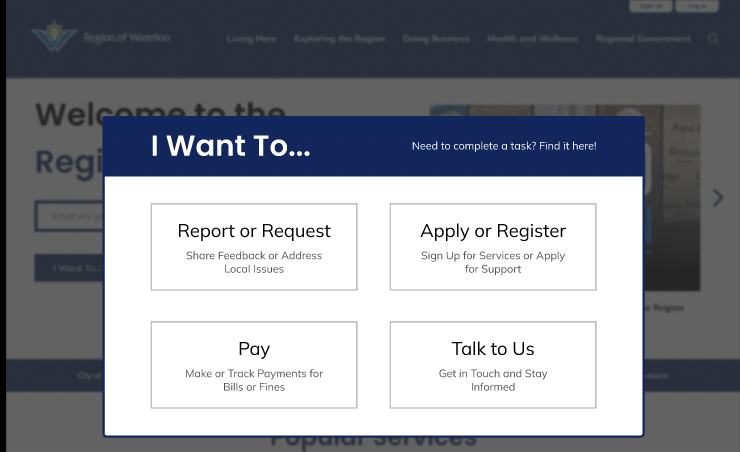
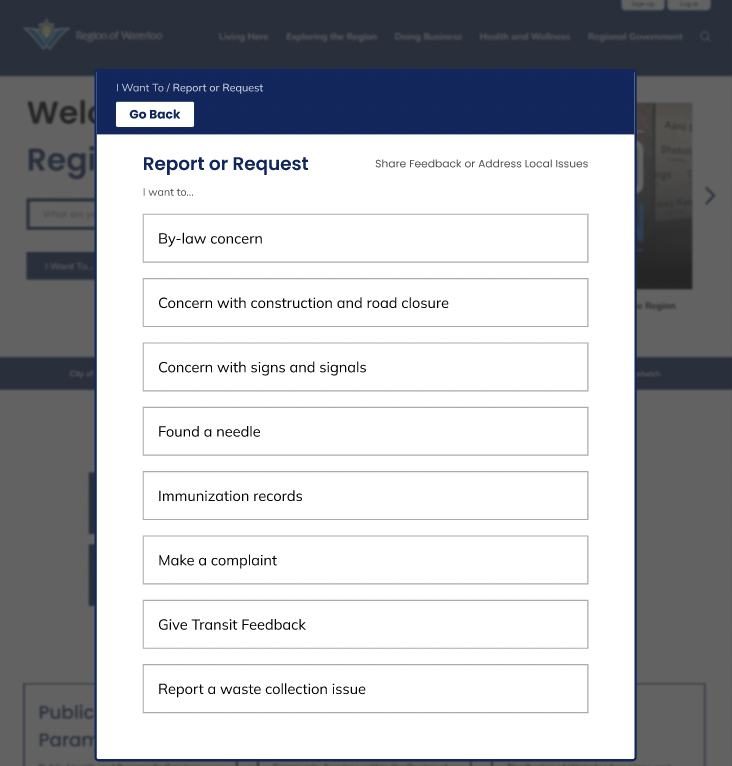
An “I Want To” menu that leads to tasks
The Region was thinking about replacing this menu with a resident login. Chatbot data and interviews showed people wanted to get tasks done, so we kept it and trimmed it to links that let you report, apply, pay or get in touch.
Search that finds pages, not old posts
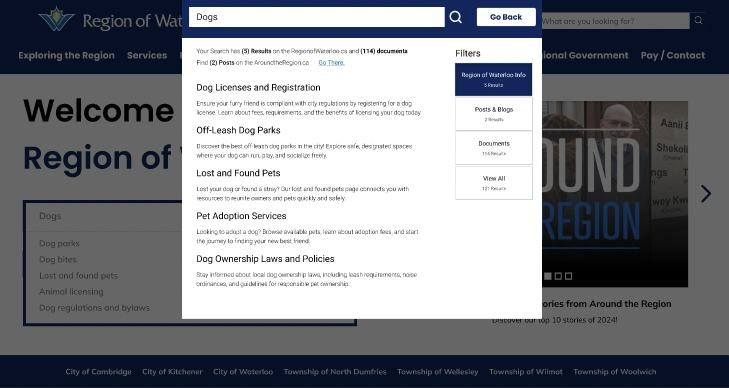
Search mixed site pages with news and blog posts. The redesign shows site results by default, adds filters for news and documents, and moves a bigger search bar under the welcome text, where interview participants would actually see it.
Outcome: Faster, fewer mistakes, and easier to read.
I ran the A/B test: the live site (A) against our prototype (B), using one task for each persona. Only the navigation was tested. The landing page, task menu and search are recommendations for the next round.
- Info Hunter
- Find when garbage and recycling get collected.
- Local Explorer
- Find all the hiking trails in the region.
- Bureaucratic Browser
- Apply for a business permit.
- Event Scout
- See upcoming events and festivals in the region.
Time on task
lower is betterErrors per task
lower is betterClicks per task
lower is betterHeader clarity
higher is betterLayout appeal
higher is betterAveraged across the four tasks, people finished 5.2 seconds faster, made a third fewer errors, needed fewer clicks, and rated both header clarity and layout appeal higher on the redesign. We presented these results and our recommendations to Region of Waterloo staff.
Reflection: What we’d test next.
The navigation result is strong, but it’s one test with a small group. Our report recommended five next steps before the Region rolls anything out:
- Test with a larger, more varied group, including students, seniors and newcomers.
- Prioritize mobile usability testing, since many residents use the site on their phones.
- Card sort and usability test the “I Want To” menu and the new search.
- Recruit through accessibility councils, since few screener respondents reported accessibility barriers.
- Track analytics after launch (errors, click paths, backtracking) to guide upkeep.